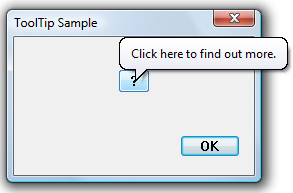
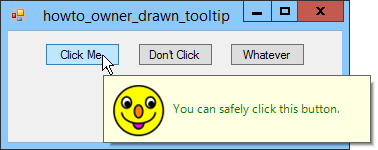
Like many common controls, the tooltip control supports custom drawing for maximum flexibility. This is a quick tutorial on how to use the tooltip custom draw facility.
First, start with the following scratch program (which is a slightly modified version of Raymond Chen’s scratch program):
#define STRICT
#include <windows.h>
#include <windowsx.h>
#include <commctrl.h>
#include <tchar.h>

#define WND_CLASS_NAME TEXT("Scratch")

HINSTANCE g_hinst;

BOOL OnCreate(HWND hwnd, LPCREATESTRUCT lpcs)
{
    return TRUE;
}

void OnDestroy(HWND hwnd)
{
    PostQuitMessage(0);
}

LRESULT CALLBACK WndProc(HWND hwnd, UINT uiMsg, WPARAM wParam,
                         LPARAM lParam)
{
    switch (uiMsg)
    {
    HANDLE_MSG(hwnd, WM_CREATE, OnCreate);
    HANDLE_MSG(hwnd, WM_DESTROY, OnDestroy);
    }

    return DefWindowProc(hwnd, uiMsg, wParam, lParam);
}

BOOL RegisterWindowClass()
{
    WNDCLASS wc;
    ATOM atom;

    wc.style = 0;
    wc.lpfnWndProc = WndProc;
    wc.cbClsExtra = 0;
    wc.cbWndExtra = 0;
    wc.hInstance = g_hinst;
    wc.hIcon = NULL;
    wc.hCursor = LoadCursor(NULL, IDC_ARROW);
    wc.hbrBackground = (HBRUSH)(COLOR_WINDOW + 1);
    wc.lpszMenuName = NULL;
    wc.lpszClassName = WND_CLASS_NAME;

    atom = RegisterClass(&wc);
    return (atom != 0);
}

int WINAPI _tWinMain(HINSTANCE hinst, HINSTANCE hinstPrev,
                     LPTSTR lpCmdLine, int nCmdShow)
{
    INITCOMMONCONTROLSEX icc;
    int ret = EXIT_FAILURE;

    g_hinst = hinst;

    // We will need the tooltip common control
    icc.dwSize = sizeof(icc);
    icc.dwICC = ICC_WIN95_CLASSES;
    if (InitCommonControlsEx(&icc))
    {
        if (RegisterWindowClass())
        {
            HWND hwnd = CreateWindow
                (
                WND_CLASS_NAME,
                TEXT("Scratch"),
                WS_OVERLAPPEDWINDOW,
                CW_USEDEFAULT, CW_USEDEFAULT,
                CW_USEDEFAULT, CW_USEDEFAULT,
                NULL,
                NULL,
                hinst,
                );
            if (hwnd != NULL)
            {
                MSG msg;

                (void) ShowWindow(hwnd, nCmdShow);
                while (GetMessage(&msg, NULL, 0, 0)) {
                    TranslateMessage(&msg);
                    DispatchMessage(&msg);
                }

                ret = EXIT_SUCCESS;
            }
        }
    }

    return ret;
}
Next, we’ll add a tooltip to this window. We’re not going to do anything fancy like tooltip multiplexing so we’ll use TTF_SUBCLASS.